Steam Frame 早期上手体验
Steam Frame - some early thoughts
GamingOnLinux 上手个人购买的 Steam Frame(1TB/SteamOS 0.4),设备佩戴轻便设置简单,但 VR 控制器握持不适且侧键易误触。
GamingOnLinux has managed to acquire the SteamOS powered Steam Frame VR device, these are some initial thoughts now I've got it all set up. Note: this was a personal purchase, Valve did not provide it.
Model tested - 1TB (SteamOS 0.4). Streaming done via Fedora KDE 45 with an AMD Radeon RX 9070 XT GPU.
It begins

I went in honestly expecting to have all sorts of issues, I've perused the Steam Frame Reddit for long enough to spot a lot of different problems being reported and so I was fully prepared to have to troubleshoot a bunch of things. I am also fully aware that Valve's hardware releases tend to be a bit under-cooked on the software side. I was after-all, one of the first reviewers of both the Steam Deck LCD and Steam Deck OLED and so I've seen first-hand how far they've come.
However, I'm not quite such an early adopter in this case (Valve did not respond to multiple review requests for the Steam Frame or Steam Machine), and it appears that a fair amount of issues from the original reviews elsewhere have been solved. Still, I've been writing about Steam Frame updates since the release, keeping an eye on all the fixes as they come in too.
If you want to help fund our future hardware coverage - please do check out how to support GamingOnLinux.
The set up of the device was very easy and completely uneventful actually. I did need to put the spacer in, to give my glasses just enough room so I can actually see clearly but that was delightfully simple. The spacer and face-rest simply use magnets so they just pull off and snap right back on. Although, the magnets are perhaps just a bit too weak, because they pull off a bit too easily at times.
Pleased to report it passed inspection:

After turning it on and going through the intro, then logging in via the Steam app on my iPhone I was in and ready to go. It was all done quite quickly which was nice. Setting up a safe play area was a breeze too. I liked how they did it. You have a set circle to make bigger or smaller, or you can just draw your own area directly on the floor - which is useful for oddly shaped rooms (or rooms filled with stuff).
Coming from the Valve Index - the biggest surprise is weight and comfort. It's a completely different world here. It fits nicely but more importantly, you don't really feel any weight on your head because of how light it is. Having the battery on the back of your head was a great idea to keep the overall balance nice on it. That said, it does feel like without a top strap (which is a paid extra) that to have it tight enough not to slip, that it pulls on your eyelids a bit.
So I'm very keen to see what third-party straps appear for it, especially as Valve seem to be constantly out of stock on the Ergonomic Accessories Kit.
I do love that Valve somewhat recently upgraded the Steam Downloads system, so that you can manage other devices you're signed into too. Quite useful when downloading to the Steam Frame (or Steam Machine).

Wow, a whole £0.22 in my Steam Wallet, I'm rich!
A little additional quality of life feature they could add here though - show the battery level. That would be nice.
My first go-to game when it came to VR was of course - Beat Saber. This was installed directly on the Steam Frame, not streamed. Again here, I went in thinking there would be some kind of hiccups. Even though it is "Steam Frame Verified", we know that Valve's verification for the likes of the Steam Deck is pretty hit-and-miss at times. But, without tinkering with anything at all, into the game I went and played a good few rounds and it was impressively smooth.
The Controllers
The Steam Frame comes with Valve's brand new VR controllers - but are they any good? This is where the experience fails a fair bit for me - as I'm really not sold on them. There's some good parts to them though...

Firstly - I think going with removable AA batteries really made sense here. They've made it quick and painless to open the side panel on the controller to pop one out and replace it. No issues there at all. What a different world to the original Steam Controller where batteries were wedged into the corners and loved to get stuck. And an upgrade from the Valve Index controllers to just swap batteries quickly. Absolutely love that.
Controller tracking seems to be properly fantastic too. All sorts of stupid movements and fast-paced arm-throwing is picked up perfectly. Absolutely no issues there at all.
That's about where the good stuff ends for the controllers though. Not just because they look a bit stupid with their big round face, but they're just kinda - awkward to use. I haven't yet found a way of holding them that actually feels in any way comfortable. I do have small hands, which doesn't really help.
I especially don't like the grip button each has on the side, as they make it feel like I can't relax my hands. While the Steam Controller has buttons on the back, they're not pushed in so easily so resting fingers there is fine. I've miss-clicked the Steam Frame Controller side buttons quite a few times while playing games which messes with gamepad input because it turns the laser pointers on. I can't rest fingers below the button, because then I cannot reach anything on the face of the controllers. They're pretty frustrating in their design.
The straps they come with are annoying too, I really hate the little plastic pully on them to tighten them - really annoying to pull down.
Streaming From A PC
Now we get onto one of the major points of the Steam Frame - streaming games to the headset. What works? What doesn't? What's a nuisance?
Firstly, the Dongle acts a bit weirdly on Fedora KDE 45. I had to turn off desktop notifications for it, as when not in use it just seems to randomly connect and disconnect quite often. Got a bit annoying. Additionally, it did confuse me a few times when attempting to stream but the Steam Frame gave me a black screen - because my desktop would go to the lock screen, it needs to stay unlocked to actually give the Steam Frame a picture (but audio still played). So you need to ensure your power settings for auto-screen lock are a bit longer perhaps.
Flat Games
My first attempt worked nearly flawlessly. The initial setup is just me sat at my desk with the Frame strapped to my face. The Dongle is plugged in, and my ISP router is also in the same room. So, signal shouldn't be an issue and the Frame reports it's all connected up properly.
Streaming my current vice (Dead by Daylight) from my Fedora KDE 45 (Beta) Desktop to the Steam Frame was a thoroughly strange experience. Not because of issues with tracking or performance or lag - but it felt quite surreal. If I had to compare it to something, it was like staring at a cinema screen but I'm directing everything.
Not perfect though. At one point when I was messing around with Steam settings on the Frame, and the Steam Client itself seemed to just die and restart itself, but - the game carried on streaming! I was pretty shocked and somewhat amazed at overall how well the first attempt actually worked. I managed to complete a full game of Dead by Daylight as survivor and it was good fun. Even if I was fumbling the controls a little because the controllers take a bit of getting used to. But, I am a patient person, people are rarely good at something the first time they try it.
My biggest shock with game streaming was sitting on my sofa downstairs. Again testing Dead by Daylight, this time with the Mrs. I was fully expecting lag and poor quality streaming. Much to my surprise, it worked again to perfection. I was actually blown away by everything staying connected and looking great for another five rounds. Even though my ISP router is not exactly great.
VR Games
Okay, so streaming flat games clearly works very well for me, but what about actual VR games? I already have a big TV on the wall and a Steam Machine for flat games, so proper VR is obviously the main test here.
I wasn't really expecting issues since flat games worked so nicely. But, there's a lot more going on when streaming a VR game when it has to take into account your body movement (eyes, hands, etc). Any hiccups at all will be felt, so I was very curious how it would go.
This was my first exercise in true frustration with the device. Because Beat Saber would just complain on my host Desktop PC that there's no OpenXR Runtime:

Checking SteamVR settings on the Desktop, and ensuring SteamVR was set as the default (Steam does not set as the default out of the box - bit stupid). Then trying again, same problem. I tried Proton 11 and Proton Experimental, it made no difference.
Loading SteamVR first directly on the Fedora KDE 45 host machine does not detect the Steam Frame at all for me, so I couldn't access any of the VR specific streaming settings there. I don't know if I'm missing something here…or if it's just the Linux host side of things not quite far enough along yet. Valve have a troubleshooting script for the Dongle - but the Dongle is connected fine, it's just specifically SteamVR on my Fedora KDE 45 host machine not detecting the headset. But, flat game streaming does still work fine as noted previously without touching anything on the PC.

This is likely why Beat Saber didn't work to stream from my desktop to the Steam Frame as noted above, when trying to stream it directly from the Steam Library.
Steam also doesn't actually seem to show for people that I'm in-game when streaming to the Frame from the Desktop (even for flat games where it works). It just says I'm online in VR. That again is likely linked to the above issue. Hopefully together we can find the answer, as I've no doubt I won't be the only person with this issue. This is why Linux support can be problematic, so many different distributions with different configurations and I'm certainly not blind to that.
However, there is another way around this to get it to work. Steam has an Advanced Options menu where you can select to "Stream VR Without Game". And with that - it actually works! Everything connects up properly, SteamVR on the Fedora KDE 45 desktop then even detects the Steam Frame.


It's a bit weird, and just shows that there's many ways Valve need to improve the UI to make things clearer on just how things actually work. Especially as the intro when you first set it up is mostly "here's a few things - off you go".
The Steam UI overall is a bit of a convoluted mess for VR. But we're in! Lock and load! Sabers at the ready!
Anyway - there is where I got really impressed and fully immersed into it. Trying to stream various different VR games from the Fedora KDE 45 desktop the Steam Frame works without a hitch. Everything looks fantastic, the tracking is spot-on as far as I can tell and it just feels brilliant. If i didn't already know it was streamed, I would have no idea - it's just that smooth.
One bit did confuse me though, the "Stream VR Without Game" option mentioned above needs to be done every single time for each different game you load, because as soon as you quit a game it shuts that feature down. A bit annoying.
The joy I had testing streaming VR games though was unmatched, it's truly amazing. There are definitely some software wizards at Valve to make it feel this good.
Other Issues
There’s a few areas where streaming feels under-cooked. Friend game invites for example, when going to accept them - the Frame just goes back to the Steam Library and thinks you need to install the game locally. It's a bit dumb at times. There's other quirks with flat games like some notifications showing properly in the Frame HUD, while others appear in the corner of the game window (like Achievements) where they're too small to even read. There's a number of areas where there's just this weird disconnect between the Frame and Streaming that need to be improved.
Another is the notification menu - if someone sends me a message, I open the menu, click the message and…nothing happens. No chat opens as you would expect. There's a lot of surprising silly niggles like that.
Another is actually detecting the host machine has the game installed. The Steam Frame quite often tells you it's not installed, so you click to install - and it tells you it's already installed and to reboot so it's detected. Why is that a thing? Steam clearly can tell it's there.
This next one I've only seen while streaming - pressing the Steam button to get rid of the SteamVR UI sometimes just doesn't work. It flashes away for a split-second, then comes back again.
The IPD lock button is also extremely stiff to actually lock it into place - a tiny fiddly little thing you need to flick over with your nail - it really shouldn't be this difficult to put it into lock.

One more issue that was quite worrying, I've seen the unit twice now decide to just not charge where there's no light on the side - and then refuse to turn on. Both times, I've had to hold the power button down for a while, then tap it - to bring it back to life. I thought it was properly dead both times. Both of my Steam Decks (LCD and OLED) also do this from time to time. Just various firmware / software quirks to get fixed up.
Battery Life
Standalone
Picking Beat Saber as my first main test for this. Across a couple of different settings:
- 90Hz / 100% brightness / 100% volume - 1 hour 24 minutes.
- 72Hz / 100% brightness / 100% volume - 1 hour 29 minutes.
- 72Hz / 80% brightness / 80% volume - 1 hour 36 minutes.
After all that it also turns out that I am incredibly unfit. Windows open, fan blowing - I was still covered in sweat. That's the problem when you get quite comfortable in life, you tend to let things go just a bit. But no more! I shall use the Steam Frame VR to become fitter! Or…it might end up making me lazier. I can lay in bed, stream Dead by Daylight and expand the screen to be the size of my house just because I can.
I also tried out Ball x Pit as a standalone test, a flat game that's Steam Frame Standalone Verified and one of my favourites. So I expected a good experience there - and was not disappointed (at least, not with compatibility).
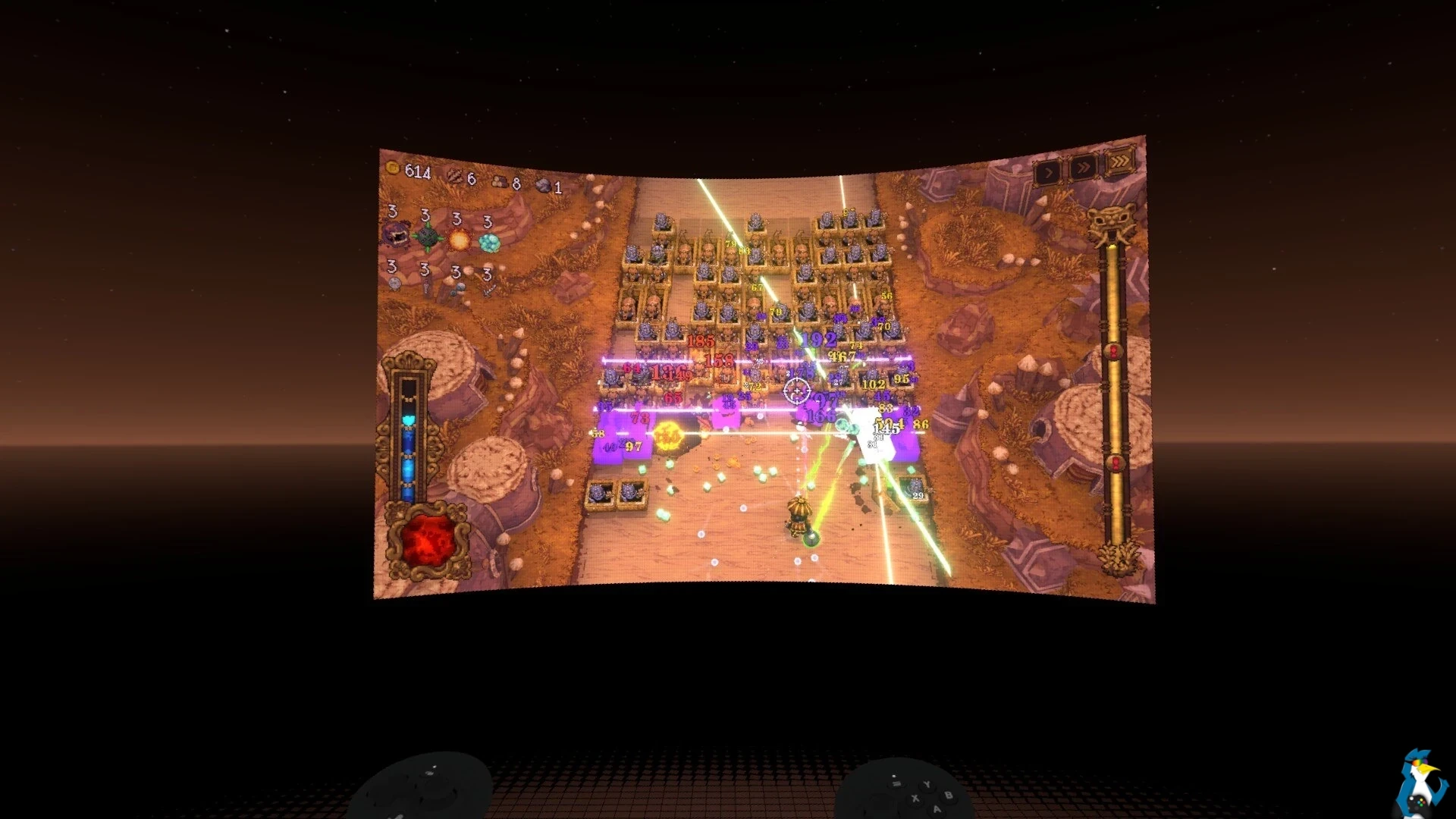
How did Ball x Pit go then when standalone?
- 72Hz / 80% brightness / 100% volume - 1 hour 19 minutes.
For standalone play the battery life is just not great at all. I was pretty underwhelmed there.
I also find that 80% volume is a bit too quiet for my tastes (more on the sound below).
Streaming
I thought streaming would give much better battery life compared with standalone play, since I figured the Frame would be doing less - so let's see shall we.
Starting with Beat Saber again of course from full charge:
- 90hz / 100% brightness / 100% volume - 1 hour 52 minutes.
How long did it last streaming a flat game like Dead by Daylight from my desktop on a full charge then?
- 90hz / 100% brightness / 100% volume - 1 hour 38 minutes.
Charging
How about charging time then? Especially if you're going to be playing standalone - this is actually super important. Valve say you need at least a 45W charger or higher. So, with the Steam Frame shut down completely and hooked up to a UGREEN 65W charger it took 26 minutes to hit 48% (quickly turning on and off to check) and then 2 hours 32 minutes total to hit 100% when the side LED turned green. It seems to slow down as it gets closer to 100%.
I don't think the green fully charged LED is entirely accurate either. Numerous times I've left it, sometimes a lot longer - unplugged it to turn it on to check because it seemed to be taking forever and it's at 99%. Plug it back in, suddenly green light. I think sometimes it just doesn't fully click over to realising it's fully charged, hopefully future updates will improve that too.
What has become clear to me is that no matter how you play on the Steam Frame, hooking up some kind of battery pack is going to be essential for longer gaming sessions. Which, somewhat defeats the purpose of it doesn't it? But then again, the Steam Deck remains incredibly popular and often doesn't last long, so who am I to judge what works. Different strokes for different folks and all that. But, an important point here - the Steam Deck is not strapped directly to your face - this is. Battery life is just even more important here.
The Speakers And Camera
Not much to say here so I'll just be blunt - the current speakers are terrible. The max volume is still pretty low and the overall quality is surprisingly poor for sound. Quite tinny, with a real lack of bass too. Dropping the volume down from 100% also makes it just too quiet. The drop-off seems to be far too much as you go down from 100%. This is probably my biggest shock with it, they're such an insanely huge step-down from the Valve Index speakers it's nuts. Even cheap Bluetooth earbuds sound better.
Valve did say to other websites like PC Gamer that they were working on a first-party accessory to provide better speakers and batteries thanks to it being somewhat modular - so I guess we'll have to wait and see what happens there. With the CAD files released now - who knows what others will come up with
The pass-through camera is also very poor quality. However, it's not really meant to be used for much, mostly to help with spatial awareness and tracking. It does the job just about good enough for playing flat games to still be aware of surroundings, and for me to be able to still chat with the Mrs without it feeling weird - or to spot a cat.

Quality Assurance
I've seen numerous reports about some sort of grease on the lenses, and quite annoyingly mine had a small amount in the corner of each too. Valve clearly need some better factory quality assurance due to how often I've seen Reddit posts on it. Bit of a nightmare to get it off the lenses without smudging it further and just making it worse, it doesn't help that the cleaning cloth that comes with the Steam Frame is completely useless.
Apart from that though (and the weak magnets mention earlier), everything feels pretty good on the build quality.
More Thoughts
Taking screenshots is an exercise in frustration with the Steam Frame. I have no idea where exactly it's going to capture and most of my shots end up looking like crap. But this shot below highlights something I do think is thoroughly cool, with you being able to dock various windows around the HUD:

One serious misstep, I think, was releasing the Steam Frame without a new show-off game. Half-Life: Alyx was a fantastic game for the Valve Index, one of my personal favourite gaming experiences and you get it included with the Steam Frame - but what's next? Alyx is now over 6 years old! Not many other developers have the near infinite money-printing machine of Steam to be able to produce something like that for PC VR. Doing a new VR game would have been a good show of their own belief in it as a platform.
As much as I already really enjoy (apart from the controllers…) the Steam Frame. I do remain quite unconvinced that it's the future of gaming. It's a definite step in the right direction being wireless and pretty light though. But the battery life overall is terribly underwhelming.
The thing is - it's clearly so early on with the software that half of what I say now may not be true in two weeks time with another update. Valve released SteamOS 0.4 for Steam Frame while I was writing this too - so I had to go back and re-test plenty of it just for this first article.
Reading this all back, I'm a lot more critical of the Steam Frame than I thought I would be. But, I have actually enjoyed using it quite a lot despite the amount of issues I have with it. Far nicer to use than the Valve Index overall (except for the somewhat awful Frame controllers and somewhat poor audio). I fully expect it to keep improving based on Valve's track record with the Steam Deck and Steam Machine.
To sum up my current thoughts - it's quite undercooked as a whole but thoroughly entertaining until the battery abruptly runs out. I especially love flat games on the Steam Frame, as it's so much more immersive with the rest of the world blocked out.
Still To Come
Since these are only my initial thoughts on it, expect plenty more to come in future. Including stuff about Desktop Mode, running it with the Steam Machine and more. Hopefully you found this interesting enough for now though as I also still have lots to learn myself!
I've ordered some protective lenses - so I'll be letting you know what I think of them once they arrive. I really want to keep my Steam Frame in tip-top shape for years to come, so it seemed like a good investment in it. Lenses can be fragile, and scratch - I would prefer not to deal with that hassle sometime down the line. And if they're good, then I'll grab prescription lenses and review them too.
What else? Guides! Reviews! I'll be writing them all. Let me know what you want to get working on it.
Finally, if there's something specific you want me to test - anything at all, be sure to leave a comment and let me know.
You can also ask in the Forum any time and connect up with other Linux / SteamOS gamers. We also have a dedicated Steam Frame Waiting Room Forum Post.
Article taken from GamingOnLinux.com.
来源:Gamingonlinux · gamingonlinux.com