新 MSI Afterburner 插件将 28 个 Thermal Grizzly WireView Pro II 传感器带入游戏内叠加层,含独立 12V-2×6 针监控
New MSI Afterburner Plugin Brings 28 Thermal Grizzly WireView Pro II Sensors To Your In-Game Overlay, Including Individual 12V-2×6 Pin Monitoring.
Reddit用户VolterMort发布开源MSI Afterburner插件,将Thermal Grizzly WireView Pro II的28个传感器带入游戏内叠加层监控。
The ongoing 16-pin power connector melting issues affecting NVIDIA's GeForce RTX 40 and RTX 50 Series GPUs have prompted manufacturers to introduce various monitoring and protection solutions. Among them is Thermal Grizzly's WireView Pro II, and now, a community developer has released an open-source MSI Afterburner plugin that makes monitoring your GPU's power delivery considerably more convenient.
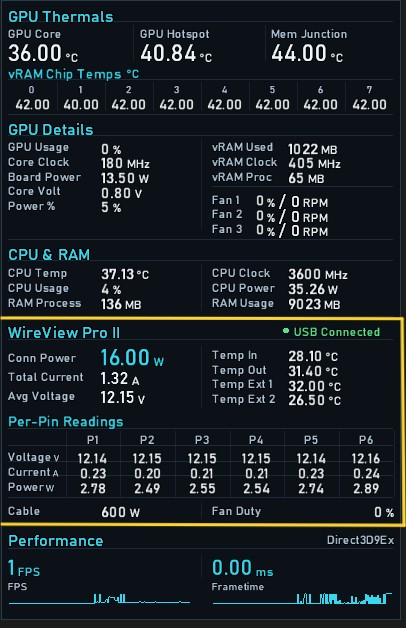
Developed by Reddit user VolterMort, the new WireView Pro II MSI Afterburner plugin allows users to monitor 28 different sensors directly through MSI Afterburner and RivaTuner Statistics Server (RTSS), displaying detailed power delivery information in the in-game overlay without requiring additional background monitoring applications.
The plugin communicates directly with the WireView Pro II hardware over USB, exposing the following measurements:
- Total connector power consumption, current, and average voltage
- Individual voltage, current, and power readings for all six 12V pins
- Internal and external temperature sensor readings
- Cooling fan duty cycle
- Cable power rating and device connection status
This is particularly useful given the persistent power connector problems affecting modern graphics cards. As we've extensively documented, NVIDIA's GeForce RTX 5090 has suffered numerous 16-pin power connector melting incidents despite adopting the revised 12V-2x6 standard, which was intended to address the shortcomings of the original 12VHPWR connector that plagued its predecessor, the RTX 4090. Evidently, the revised connector hasn't eliminated the problem.
Furthermore, the issue isn't exclusive to NVIDIA GPUs. We've previously covered melting incidents involving the ASRock Radeon RX 9070 XT Taichi OC and the Sapphire Radeon RX 9070 XT NITRO+, both RDNA 4 models equipped with 16-pin power connectors.
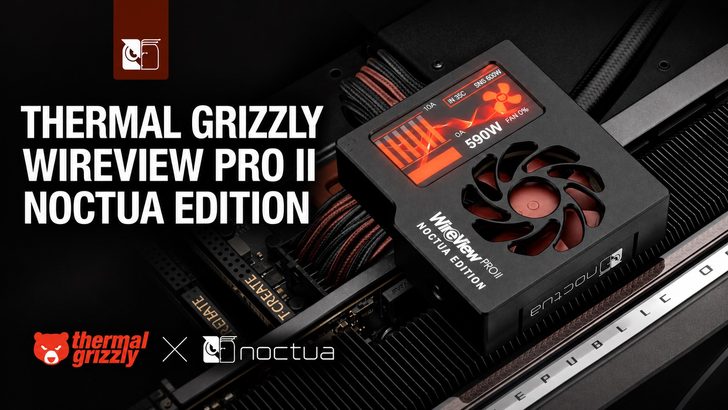
Thermal Grizzly's WireView lineup was developed to help users monitor such electrical irregularities, particularly uneven current distribution across individual power pins. We also recently covered the WireView Pro II Noctua Edition, which introduces improved cooling alongside the device's comprehensive monitoring capabilities.
The new plugin makes these measurements considerably more accessible, especially during gaming and GPU stress testing. It polls the hardware approximately once per second and offers a Pause/Resume USB feature, allowing users to switch between the plugin and Thermal Grizzly's official software without restarting Afterburner.

Importantly, the plugin itself doesn't provide automatic protection against connector melting, nor does it adjust GPU power limits or modify WireView's safety thresholds. It is strictly a monitoring solution, with the underlying WireView hardware retaining its independent protection functionality.
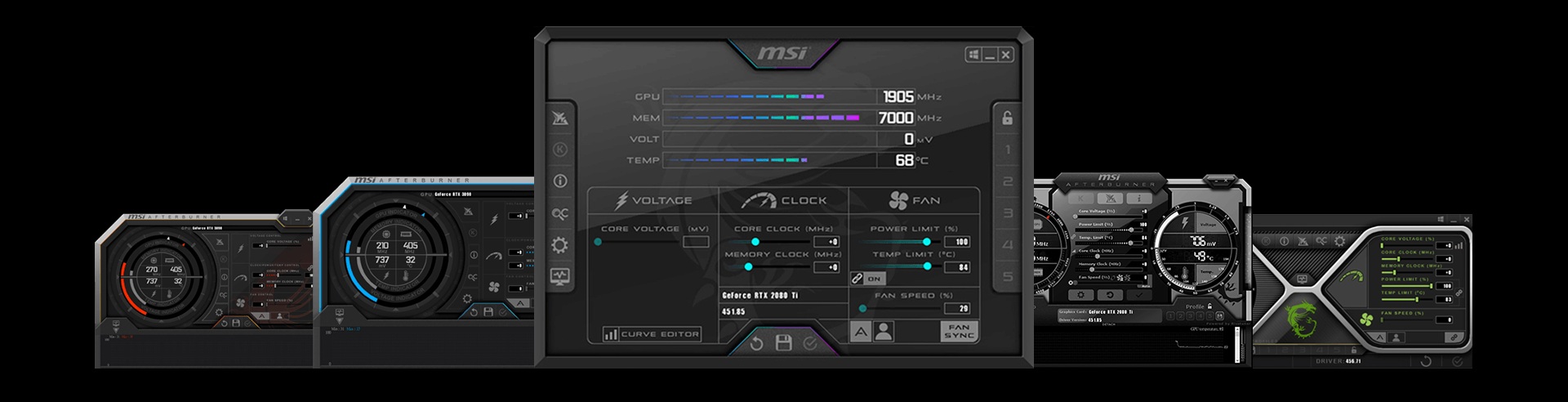
The developer has successfully tested the plugin on Windows 11 Pro with MSI Afterburner 4.6.7 Beta 2 and a WireView Pro II Black Reversed running firmware v05. Compatibility with other configurations remains unverified.
The plugin is available for free under the MIT license, with its source code and ready-to-use DLL accessible through GitHub. Users simply need to place the DLL inside Afterburner's monitoring plugins folder and enable their preferred sensors through the application's Monitoring settings.
News Source: r/nvidia subreddit

About the author: Sebastian Castellanos is a data scientist by education and training. He's also deeply passionate about PC gaming hardware and software. He has recently started writing technical articles and guides on Wccftech about PC hardware, games and mods.
Follow Wccftech on Google to get more of our news coverage in your feeds.
来源:Wccftech · wccftech.com